Choose an orchestra
Combine specialist modules for the kind of text and the goal of the review.
 Maestro
AI-assisted editorial review
Maestro is an app for reviewing documents with AI models. You configure modules to analyze content and wording according to the criteria of your specialty.
Desktop application

Review criteria
Maestro can analyze the consistency of arguments, the use of concepts and the interpretation of data. Each module follows the review instructions you define.
The product
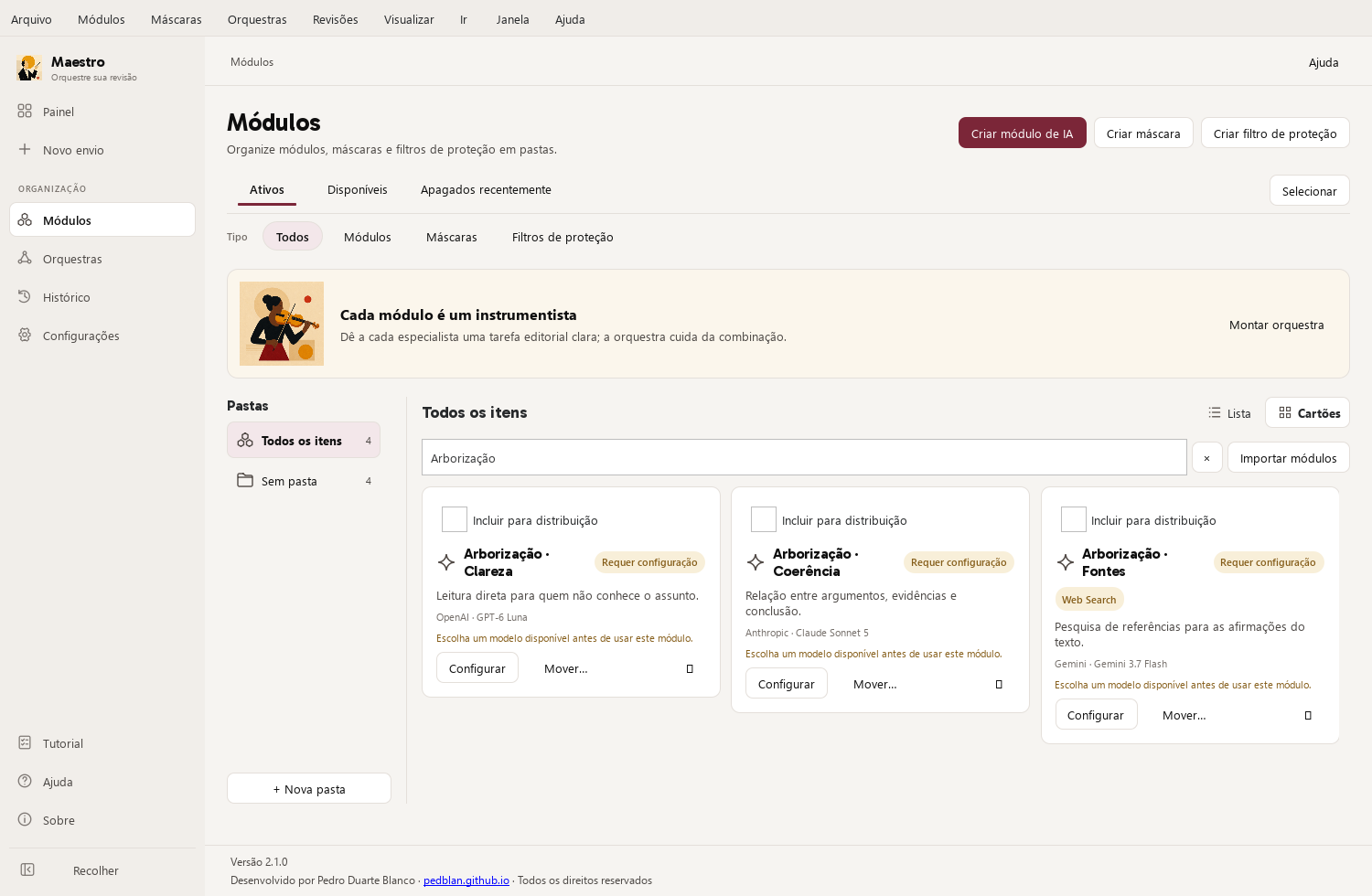
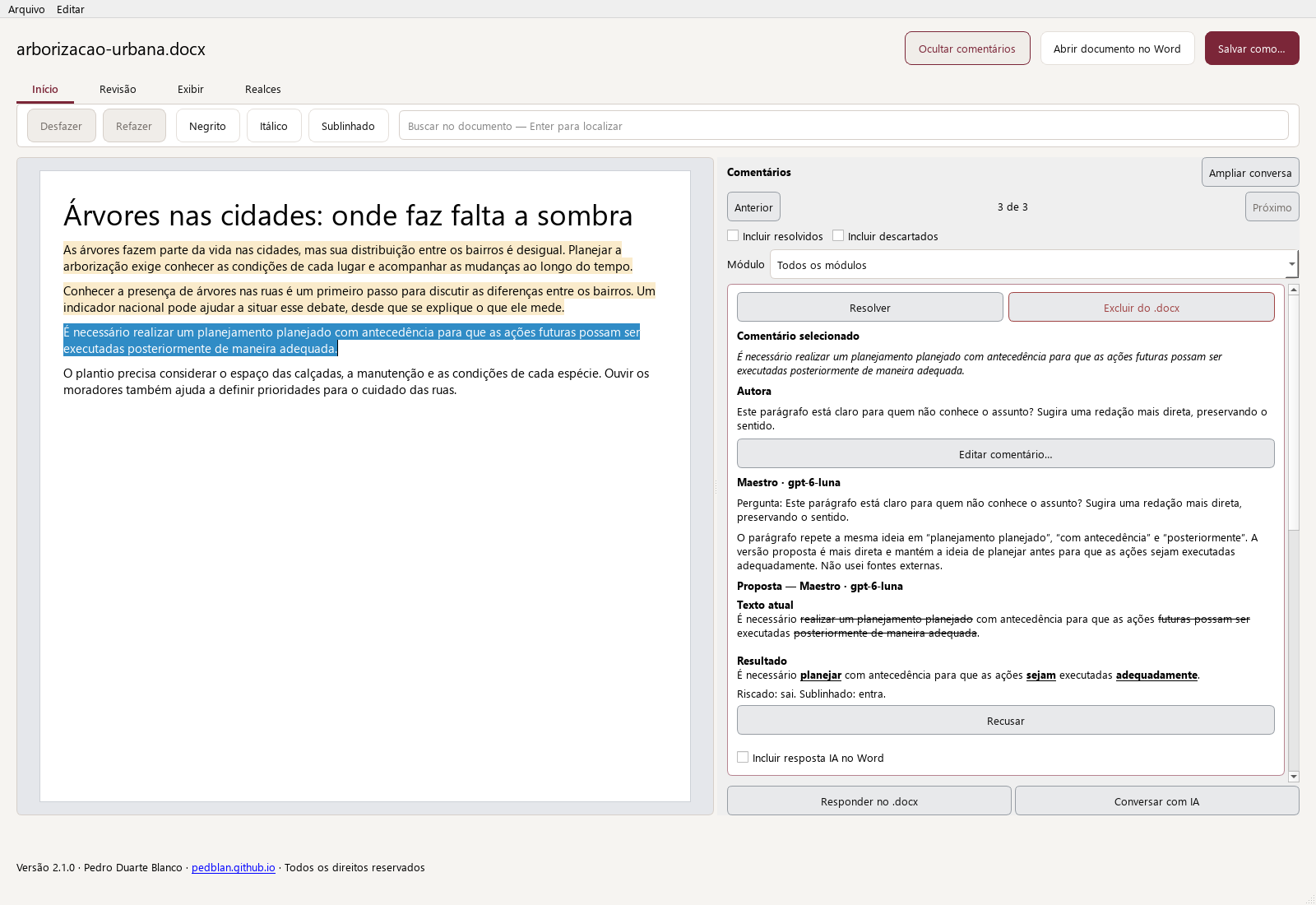
Maestro desktop 2.1.0, in Portuguese. Fictional demonstration document; real screenshots of the app.
Resources
Explore tools for analyzing content, researching information and reviewing wording. Choose the criteria and AI models used for each task.
Select or drag several files, choose an orchestra, and submit them together. Track progress and view the result for each document.
Add requests in the document or Word comments, and follow responses linked to the relevant passages.
Explore this featureResearch statistics and sources, check their scope, and review proposed additions to the text.
Explore this featureEdit the document, discuss comments, and review proposals before exporting to Word.
Explore this featureLightweight models, batch processing, and a review that matches your needs.
AI features require accounts and your own API keys from external providers, who may charge for usage. Maestro does not include credits for these services. See Help to learn how to obtain an API key.
How it works
Combine specialist modules for the kind of text and the goal of the review.
Submit one or several Word files and follow each stage of processing.
Receive clear comments in your document. Accept, adapt, or dismiss each intervention.

Specialist modules
Each module performs a review task. You can ask it to analyze arguments, examine concepts and data or review the wording. Create modules with the criteria for your work and combine them in an orchestra to use with other documents.
Request an analysis of premises, conclusions and possible contradictions.
Examine how terms are used, how numbers are interpreted and how claims relate to their sources.
Create modules with the requirements of your work and the references that should guide the review.
Review grammar, clarity and style for the text’s audience and purpose.
Reading the comments
Read suggestions linked to the text, ask for clarification and apply the changes you find useful.
Documents and data
Documents, results, modules, orchestras, and history stay in storage on your computer.
Content reaches the selected provider only when you start a function that depends on it.
One-time purchase of the app. Provider credits are not included. Billed for API usage, according to the provider’s rates and terms.
Your keys stay in macOS Keychain or Windows Credential Manager.
Before you begin
Check system requirements, API keys, provider costs and support options.
How your own API keys and provider charges work.
Read the FAQ 02What stays on your computer and when content is sent.
Read the policy 03Where to get help, report a problem, or contact the developer.
View support channels 04Compatibility, documents, internet access, and required credentials.
Check requirementsLinks to download Maestro will be published here.
View download optionsDesktop application
AI features use your own API keys. Providers may charge for usage. The content needed for analysis is sent to your chosen provider.
The city and its paths
Over recent decades, the relationship between urban space and its inhabitants has undergone profound change.
These changes happened in a very quick and rapid way, altering practices that once seemed permanent.
Understanding this movement requires looking at both the landscape and the choices of those who occupy it.