
Meet Maestro
Choosing AI models
You do not have to assign every step to a single model. Each module has its own criteria and configured model; the orchestra brings together the modules that will take part in the review.
Module, model, and orchestra
The module defines what to examine: arguments, concepts, data, wording or criteria specific to your specialty. The model is the AI that performs the analysis. The orchestra is the set of modules selected to work on the document.
Choose models for each task
Configure the module’s model according to the analysis you want. Consider the quality of responses on your own examples, processing time, cost, and the features you need. A model suited to one task may not be the best choice for another.
Combine providers
An orchestra can bring together modules from different providers, as long as their keys are configured. Check the app catalog for available models and options. Combining models allows for different perspectives; it does not represent consensus or automatic validation between models.
Check compatible features
Web search, reference files, batch processing, and reasoning options vary by model and mode. Check what the selector offers for each analysis. To compare results, use the same text and keep the evaluation criteria clear.
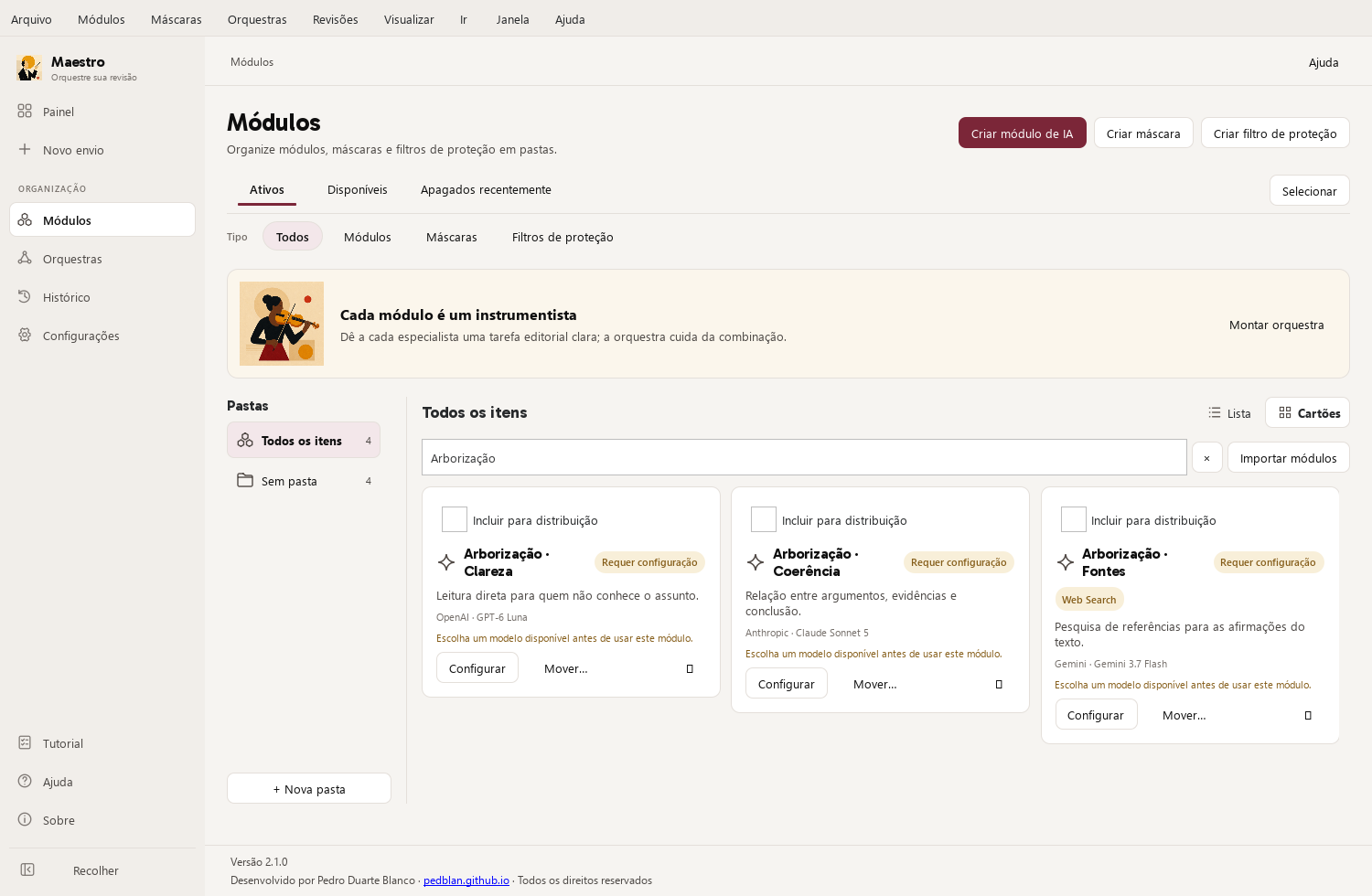
One possible setup
| Module criterion | Selected model |
|---|---|
| Clarity: make the reading more direct | OpenAI · GPT-6 Luna |
| Coherence: examine the connections between ideas | Anthropic · Claude Sonnet 5 |
| Sources: research references for the arguments | Google · Gemini 3.7 Flash |
The providers are examples of a possible combination. Each module uses a specific model selected in the app; research and other features depend on compatibility. This is not a ranking of the best models.
Using the app
Open Maestro Help to review the steps and controls in your version. File and web search availability depends on the model and mode you choose.