
Meet Maestro
Editing the document and comments
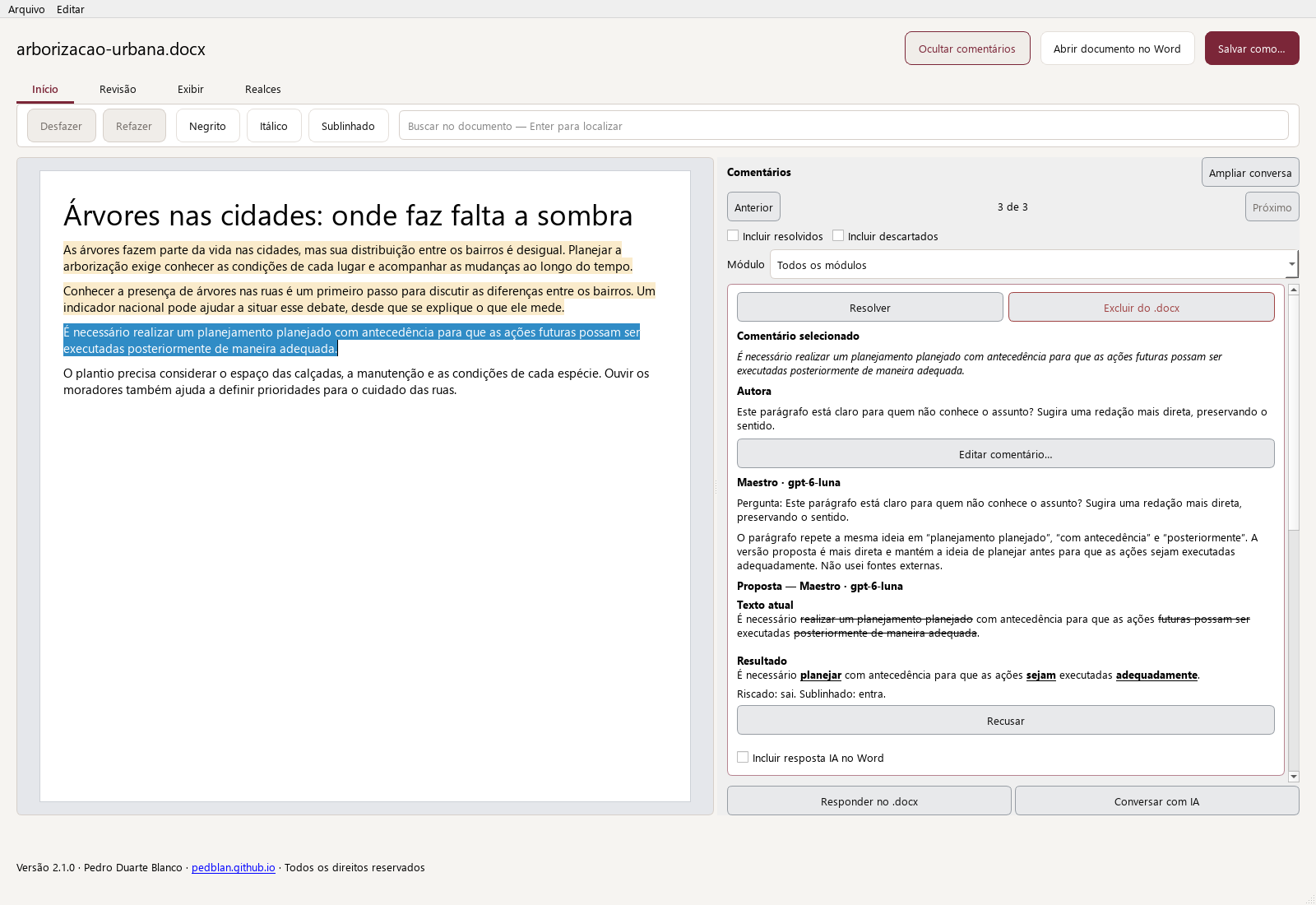
The review continues after the analysis. In the integrated editor, the text and comments stay together so you can examine proposals and decide what to keep or change.
Read the passage and comment together
Comments are linked to passages in the document. Review the diagnosis, editorial explanation, and rewrite suggestion, if there is one. Suggestions are proposals: the AI does not decide for you which changes to accept.
Ask for another explanation or proposal
Continue the conversation about the passage, ask for clarification, or request a rewrite. Check the model and search setting before submitting. You can edit the text and apply the proposals you find useful.
Keep your work available
Maestro keeps sessions and history locally so you can track your work. Review each document’s results and the estimated costs of analyses. For long texts, processing is organized into chunks according to the model’s capacity.
Export a Word copy
Export the result to a DOCX file with the text and relevant comments. Review how the exported file appears in the editor where you plan to continue working. Exporting does not require you to accept every suggestion automatically.
Using the app
Open Maestro Help to review the steps and controls in your version. File and web search availability depends on the model and mode you choose.