
Meet Maestro
Questions about the text
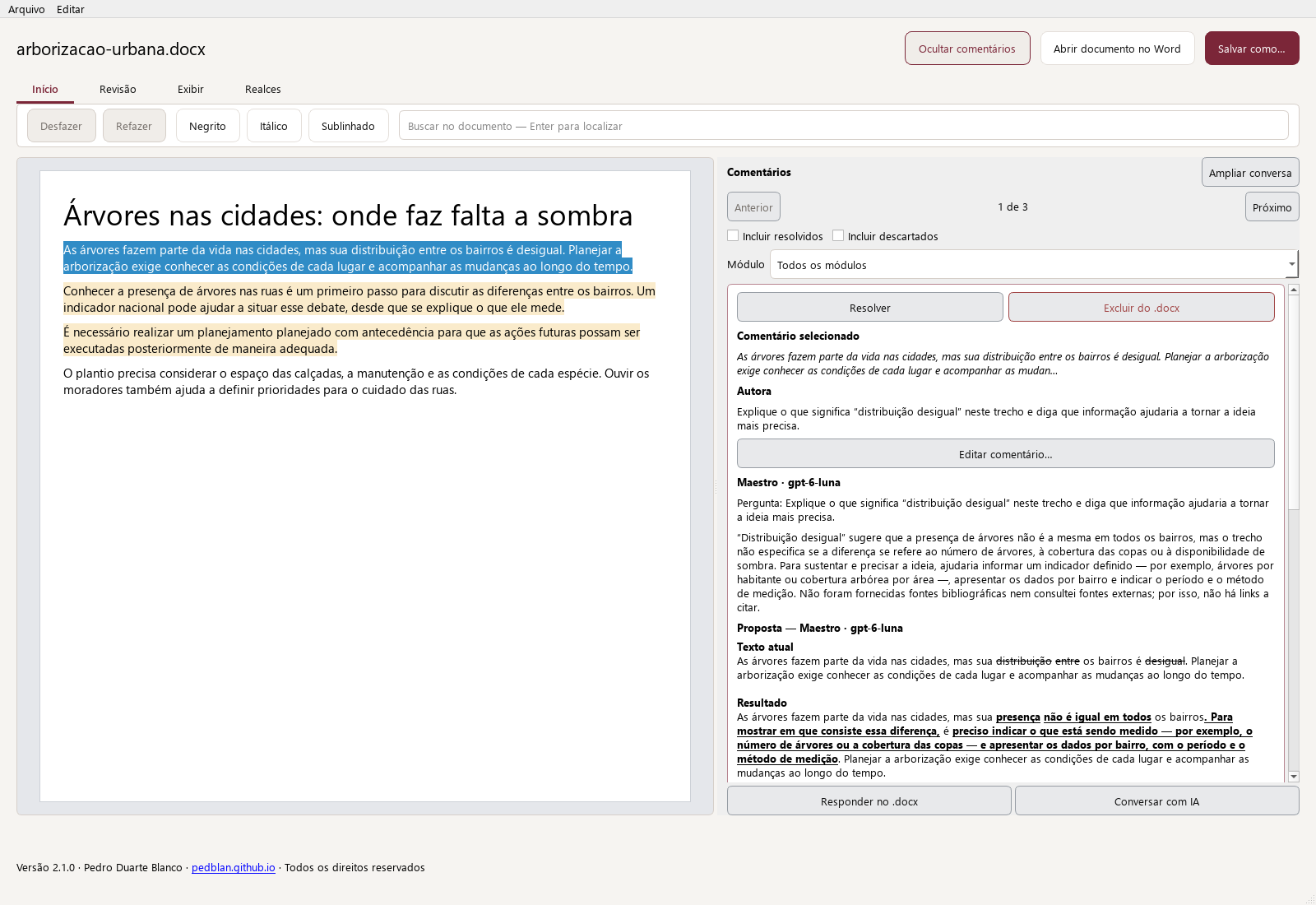
A review can also resolve questions. You can ask for an explanation, question an argument, or request a reference without separating the conversation from the document.
Questions and requests in the document
In New Submission, turn on Answer questions. The feature looks for editorial requests in the text and Word comments, such as “Explain this expression” or “Check this information.” Rhetorical questions, quotations, and exercises should not be treated as requests to the assistant.
The response stays linked to the passage
The original comments and text are preserved. Responses appear as separate contributions, so you can read them in context. An explanation does not have to be presented as an error in the text.
Continue the conversation in the editor
In the integrated editor, ask for clarification about a passage or suggestion. You can request a rewrite and decide what you want to apply. An AI response does not automatically change the document.
Research when the question calls for it
Web search can be enabled to consult external information, using compatible models and providers. Check the cited sources. With search turned off, the response is not equivalent to an internet check.
Using the app
Open Maestro Help to review the steps and controls in your version. File and web search availability depends on the model and mode you choose.