
Meet Maestro
Creating modules and orchestras
An article, a report, and a public information text may call for different kinds of review. In Maestro, you organize review criteria and reuse the setup with other documents.
Submitting multiple documents
In New Submission, select or drag the documents you want to review and choose an orchestra. Check the options and submit them together to the queue. Track progress and open each document’s results separately; you do not need to prepare a submission for every file.
Submitting several documents does not mean selecting the provider’s Batch mode. The queue can also run calls in Direct mode. Check the mode, models, and supported features before submitting.
Start with modules
Use modules available in the app or create a custom module. Give it a clear objective, write the instructions and choose the model. A module can, for example, examine whether the conclusions are supported by the arguments presented in the text.
Add your references
With compatible models, attach materials such as a style guide or reference documents. Maestro accepts references in PDF, DOCX, TXT, and Markdown. Check the upload and storage options available for the provider you choose.
Bring criteria together in an orchestra
Select the modules that should take part in the review. You can put the combination together manually or use the assistant and review its proposal before saving. An orchestra can combine different models and providers.
Reuse and share setups
Use the orchestra for new submissions and adjust it when your goal changes. Custom modules and orchestras can be imported and exported; associated reference materials are included in the export. API keys and histories are not part of these packages.
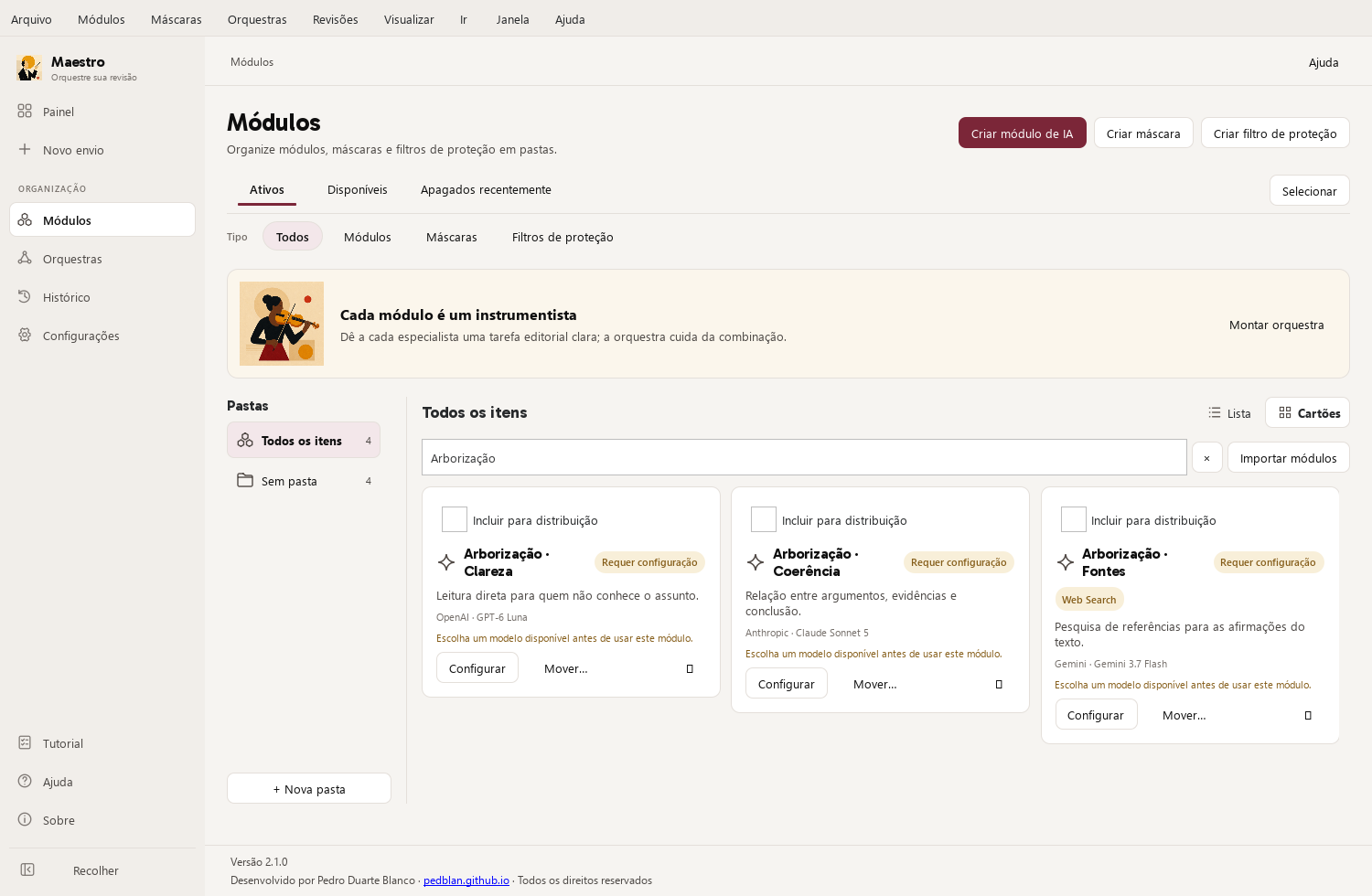
One possible setup
| Module criterion | Selected model |
|---|---|
| Clarity: make the reading more direct | OpenAI · GPT-6 Luna |
| Coherence: examine the connections between ideas | Anthropic · Claude Sonnet 5 |
| Sources: research references for the arguments | Google · Gemini 3.7 Flash |
The providers are examples of a possible combination. Each module uses a specific model selected in the app; research and other features depend on compatibility. This is not a ranking of the best models.
Using the app
Open Maestro Help to review the steps and controls in your version. File and web search availability depends on the model and mode you choose.